Performing HTTP requests to other services
This document will show you how to perform HTTP requests to other services.
What you will build
You will build a Vert.x application that use the API at https://icanhazdadjoke.com/api and displays a new joke every 3 seconds:
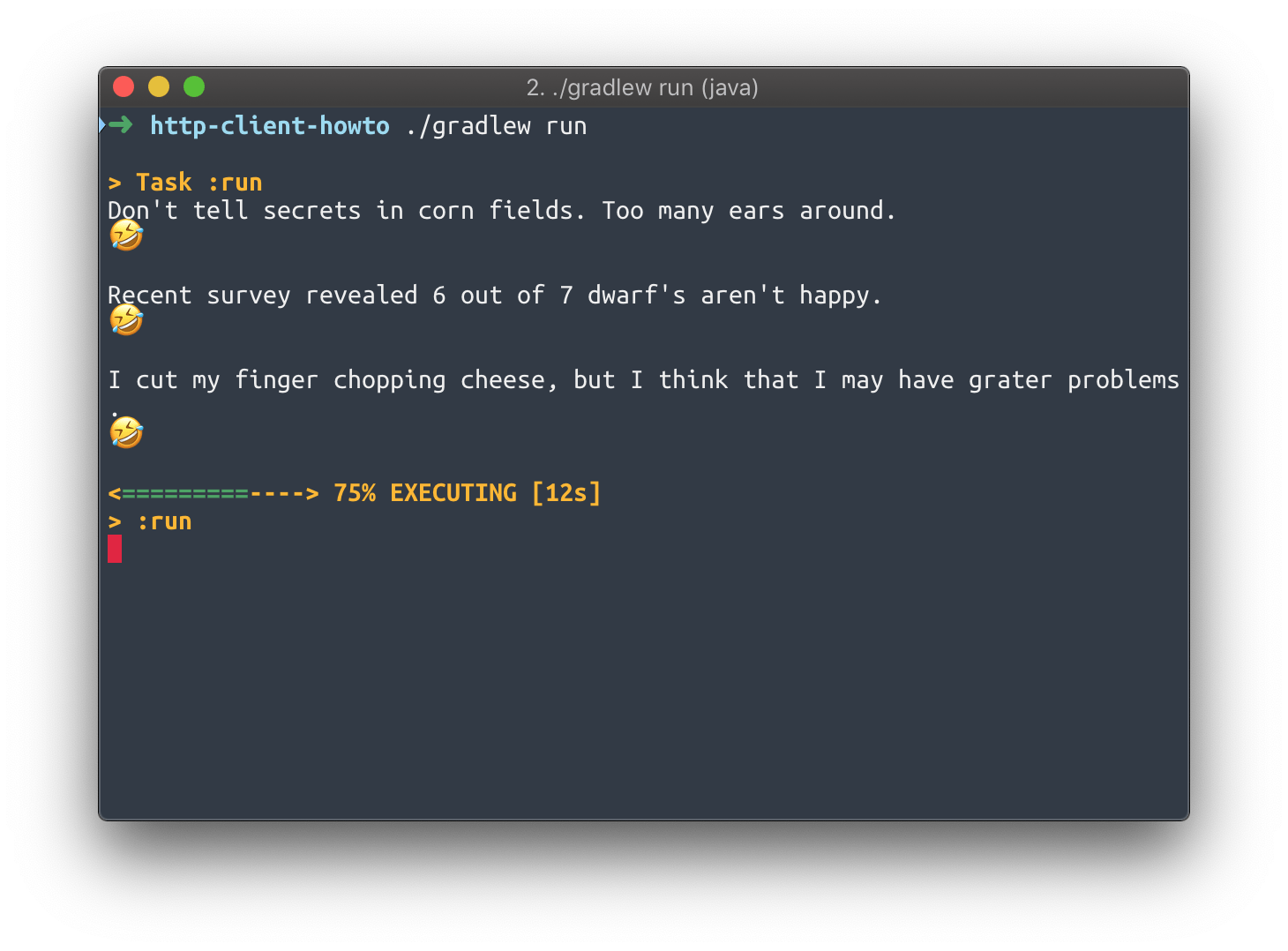
The application fits in a single JokeVerticle class.
What you need
-
A text editor or IDE
-
Java 11 or higher
-
Maven or Gradle
Create a project
The code of this project contains Maven and Gradle build files that are functionally equivalent.
Using Maven
Here is the content of the pom.xml file you should be using:
pom.xml
<?xml version="1.0" encoding="UTF-8"?>
<project xmlns="http://maven.apache.org/POM/4.0.0"
         xmlns:xsi="http://www.w3.org/2001/XMLSchema-instance"
         xsi:schemaLocation="http://maven.apache.org/POM/4.0.0 http://maven.apache.org/xsd/maven-4.0.0.xsd">

  <modelVersion>4.0.0</modelVersion>

  <groupId>io.vertx.howtos</groupId>
  <artifactId>http-client-howto</artifactId>
  <version>1.0-SNAPSHOT</version>

  <properties>
    <vertx.version>5.0.0.CR2</vertx.version>
    <project.build.sourceEncoding>UTF-8</project.build.sourceEncoding>
  </properties>

  <dependencyManagement>
    <dependencies>
      <dependency>
        <groupId>io.vertx</groupId>
        <artifactId>vertx-stack-depchain</artifactId>
        <version>${vertx.version}</version>
        <type>pom</type>
        <scope>import</scope>
      </dependency>
    </dependencies>
  </dependencyManagement>

  <dependencies>
    <dependency>
      <groupId>io.vertx</groupId>
      <artifactId>vertx-core</artifactId>
    </dependency>
    <dependency>
      <groupId>io.vertx</groupId>
      <artifactId>vertx-web-client</artifactId>
    </dependency>
  </dependencies>

  <build>
    <plugins>
      <plugin>
        <groupId>org.apache.maven.plugins</groupId>
        <artifactId>maven-compiler-plugin</artifactId>
        <version>3.13.0</version>
        <configuration>
          <release>11</release>
        </configuration>
      </plugin>
      <plugin>
        <groupId>org.codehaus.mojo</groupId>
        <artifactId>exec-maven-plugin</artifactId>
        <version>3.5.0</version>
        <configuration>
          <mainClass>io.vertx.howtos.httpclient.JokeVerticle</mainClass>
        </configuration>
      </plugin>
    </plugins>
  </build>

</project>
Using Gradle
Assuming you use Gradle with the Kotlin DSL, here is what your build.gradle.kts file should look like:
build.gradle.kts
plugins {
  java
  application
}

repositories {
  mavenCentral()
}

dependencies {
  val vertxVersion = "5.0.0.CR2"
  implementation("io.vertx:vertx-core:${vertxVersion}")
  implementation("io.vertx:vertx-web-client:${vertxVersion}")
}

application {
  mainClass = "io.vertx.howtos.httpclient.JokeVerticle"
}
Getting jokes with the Vert.x web client
The Vert.x web client greatly simplifies making HTTP requests compared to the more low-level API found in the Vert.x core API. It does The WebClient class can be found in the io.vertx:vertx-web-client artifact.
To get new jokes, we need to make HTTP GET requests to https://icanhazdadjoke.com/api. To do that every 3 seconds, we will simply use a Vert.x periodic timer.
The API returns simple JSON objects. We can test it using a command-line tool like curl:
$ curl -H "Accept: application/json" https://icanhazdadjoke.com/
{"id":"IJBAsrrzPmb","joke":"What do you call a cow with two legs? Lean beef.","status":200}
Here is the code of the JokeVerticle class:
package io.vertx.howtos.httpclient;

import io.vertx.core.AbstractVerticle;
import io.vertx.core.Vertx;
import io.vertx.core.http.HttpResponseExpectation;
import io.vertx.core.json.JsonObject;
import io.vertx.ext.web.client.HttpRequest;
import io.vertx.ext.web.client.WebClient;
import io.vertx.ext.web.codec.BodyCodec;

public class JokeVerticle extends AbstractVerticle {

  private HttpRequest<JsonObject> request;

  @Override
  public void start() {

    request = WebClient.create(vertx) (1)
      .get(443, "icanhazdadjoke.com", "/") (2)
      .ssl(true)  (3)
      .putHeader("Accept", "application/json")  (4)
      .as(BodyCodec.jsonObject()); (5)

    vertx.setPeriodic(3000, id -> fetchJoke());
  }

  private void fetchJoke() {
    request.send()
      .expecting(HttpResponseExpectation.SC_OK)  (6)
      .onSuccess(result -> {
        System.out.println(result.body().getString("joke")); (7)
        System.out.println("🤣");
        System.out.println();
      })
      .onFailure(e -> System.out.println("No joke fetched: " + e.getMessage()));
  }

  public static void main(String[] args) {
    Vertx vertx = Vertx.vertx();
    vertx.deployVerticle(new JokeVerticle()).await();
  }
} | 1 | Get a WebClient attached to the current Vert.x instance. |
| 2 | HTTP GET request for path / to host icanhazdadjoke.com, on port 443 (HTTPS). |
| 3 | Do not forget to enable SSL encryption. |
| 4 | Explicitly say that we want JSON data. |
| 5 | The response will automatically be converted to JSON. |
| 6 | We expect an HTTP 200 status code, else it will fail the response. |
| 7 | The body is a JSON object, and we write the result to the console. |
Running the application
The JokeVerticle already has a main method, so it can be used as-is to:
-
create a
Vertxcontext, then -
deploy
JokeVerticle.
You can run the application from:
-
your IDE, by running the
mainmethod from theJokeVerticleclass, or -
with Maven:
mvn compile exec:java, or -
with Gradle:
./gradlew run(Linux, macOS) orgradle run(Windows).
Summary
This document covered:
-
the Vert.x web client for making HTTP requests,
-
extracting data from a JSON response,
-
Vert.x periodic tasks.
© 2025 Eclipse Vert.x™Eclipse Vert.x™ is open source and dual-licensed under the Eclipse Public License 2.0 and the Apache License 2.0.Website design by Michel Krämer.
https://vertx.io/docs/howtos/http-client-howto/


